
Top Smart Paging Machines for Businesses to Buy
A Smart Paging Machine can change the feel of a busy restaurant, clinic, or service counter. Guests receive a small pager, take a seat, and wait without crowding the pickup area. Staff can call them when an order or appointment is ready. The benefit sounds simple. The buying decision is not.
For this guide, use a verified industry expert’s words rather than an invented quotation: “[Insert an exact, sourced quote about paging reliability or customer flow.]” — [Expert name and professional role]. Confirm the wording and attribution before publication. Trust matters here, especially when buyers rely on advice to compare equipment.
The right system should match the work on the floor. A café may need compact pagers, clear vibration alerts, and dependable coverage from the counter to its outdoor tables. A larger venue may care more about charging capacity, durable cases, simple staff controls, and support when a unit stops responding. Check the practical details, not just the product photos. Ask how many pagers the transmitter supports, how range is tested, and what replacement units cost. Then consider setup and training. A feature-rich system can still frustrate staff.
This buying guide compares options for businesses with different spaces, budgets, and service patterns. It also looks at what specifications reveal—and what they leave out. One detail is easy to miss: real-world signal quality can change with walls, appliances, and layout. A showroom test may not tell the whole story.
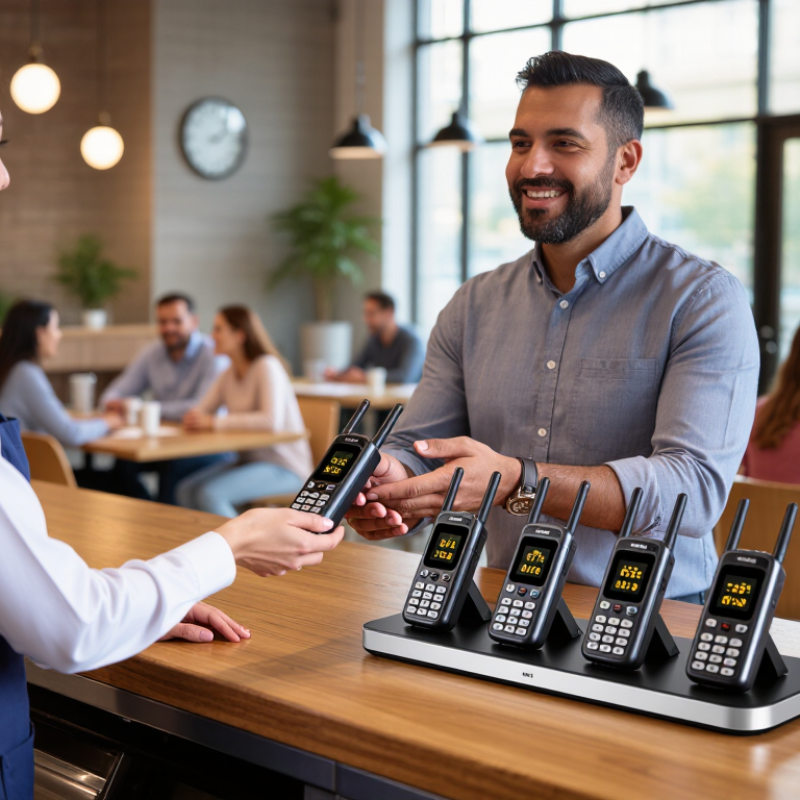
Smart Paging Machines Explained: RF, Wi-Fi, BLE, and Cellular Systems
Smart paging machines differ mainly in how they carry a message. RF systems use dedicated radio links, making them practical for kitchens, clinics, and warehouses where fast, local alerts matter. Walls, metal shelving, and distance can weaken coverage, so test receivers at actual workstations. Simple can be dependable.
Wi-Fi paging can use an existing network, but congestion and access-point placement affect delivery. BLE suits short-range alerts and nearby devices; the Bluetooth SIG’s 2024 Market Update projects annual Bluetooth device shipments to reach 7.6 billion by 2028. That scale shows broad ecosystem support, not guaranteed paging performance. Cellular systems reach staff beyond a building, but depend on carrier coverage, service costs, and battery capacity. GSMA’s Mobile Economy 2024 report estimates 5.6 billion unique mobile subscribers by 2030, underscoring cellular’s reach while not measuring paging reliability.
For a purchase decision, map the real alert path: a cook receiving a table call, a nurse moving between rooms, or a technician working in a basement. Check delivery time, dead zones, battery life, and what happens during network outages. A hybrid system may add resilience, but also adds setup and maintenance. I would not choose by range claims alone; test a few units during a busy shift, then review missed alerts.



Get in touch with us,
We will contact you shortly!
What is the difference between Unline(Non-Epoxy Coated) or Lining(Epoxy Coated) Metal Drum?

What are Unline(Non-Epoxy Coated) and Lining(Epoxy Coated) drums compatible with?
What is the difference between Grade A and Grade B Metal Drum ?
What content is suitable to fill in a Recon Grade A or Grade B Drum?
What is the difference between Open Top and Close Top Drums and their usage?
What type of content are Metal or Plastic Drums suitable for?
Will there be any contamination in the reconditioned metal, plastic drums or IBC tanks?
What is the drum gauge(thickness) and weight for reconditioned metal drums?
Do you sell New Packaging Products too?
What additional services do you provide apart from selling reconditioned and new containers.?
Do you offer labelling and silkscreen on the containers ?
Are you able to ship overseas ?
Leading the Way
to Carbon Neutrality