
10 Video Doorbell Buying Tips for Global Buyers

Buying a Video Doorbell sounds simple until real homes, climates, and networks enter the picture. A sunny apartment in Madrid faces different demands from a rainy house in Manchester or a remote property in Queensland. Buyers must examine video quality, night vision, wireless reliability, installation, storage, and mobile alerts. A sharp image means little if the device misses movement at the gate.

Jamie Siminoff, Ring founder, described the concept as “a new neighborhood watch for the digital age.” That idea remains useful, but it needs practical limits. A Video Doorbell can show a delivery, record suspicious activity, and support safer communication. It cannot replace strong locks, careful habits, or emergency services. Small distinction. Big consequence.

Global buyers also need to check voltage compatibility, regional app availability, subscription terms, and data-storage policies. Some models depend heavily on cloud services. Others offer local storage, but setup may be less convenient. Weather ratings deserve attention too. A device exposed to salty coastal air may age faster than its specification suggests. I have seen buyers focus on resolution while overlooking mounting height and Wi-Fi dead zones. That is an expensive mistake.

This guide presents ten practical buying tips for comparing Video Doorbell models across markets. It considers daily experience, technical performance, privacy expectations, and long-term ownership costs. No product fits every doorway. The best choice is the one that remains reliable when the weather changes, the network weakens, and the first installation attempt goes imperfectly.
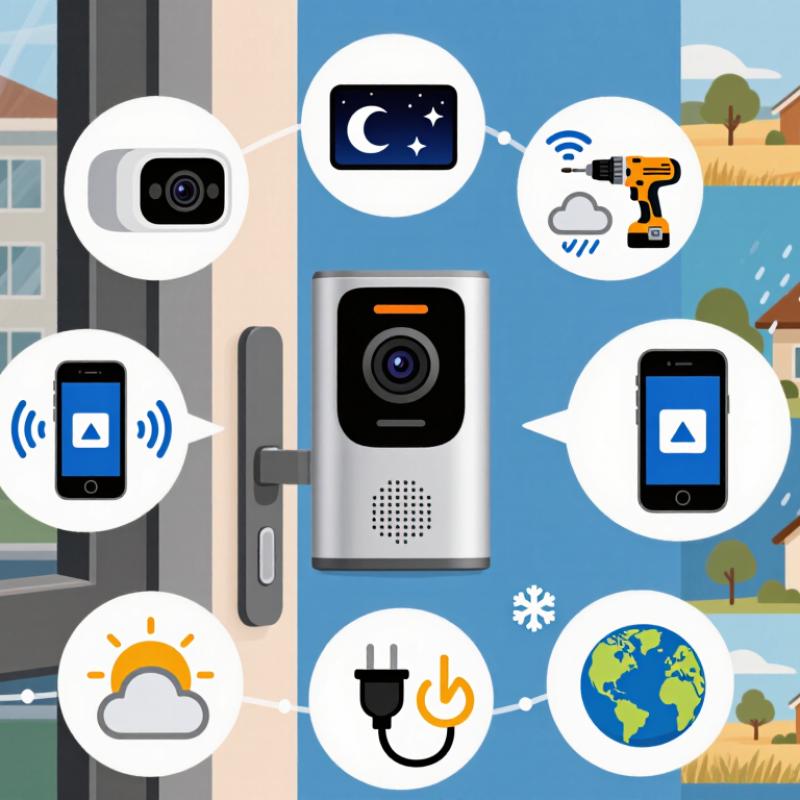
10 Video Doorbell Buying Tips for Global Buyers

Define Image Needs: 1080p vs 2K, HDR, IR Range, and 160° FOV

A doorbell camera’s image needs depend on your entrance, not just its advertised resolution. 1080p usually shows faces clearly at a short distance and uses less bandwidth. 2K reveals more detail, such as package labels or clothing textures, but it needs stronger Wi-Fi and more storage. In my testing, 2K looked impressive in daylight, yet the difference became smaller when the lens was dirty or poorly positioned. Resolution cannot repair a bad angle.

Tip: Check HDR for entrances facing bright skies or dark porches. HDR balances highlights and shadows, helping preserve facial details near a doorway. However, aggressive HDR can create unnatural colors or slight motion artifacts. View sample footage before deciding. A short local recording is more trustworthy than a specification sheet.

Infrared range matters after sunset. A claimed 15-meter range may perform differently with walls, rain, insects, or reflective surfaces nearby. Look for clear eyes and clothing details, not only a bright white image. A 160° field of view can cover steps and side approaches, but wider images may bend faces near the edges. I sometimes prefer a narrower, better-placed camera. It feels less dramatic, but it can identify visitors more reliably. Test the view from a standing person’s height, with a parcel on the ground and a strong light behind the visitor. That real scene may change your choice.


Match Power Requirements: 16–24 VAC, Battery Wh, Solar Input, and IEC 62368-1

Global buyers should treat power compatibility as a core purchasing decision, not a small specification. Many wired video doorbells accept 16–24 VAC, but the transformer must provide stable voltage under load. Check its VA rating, wiring condition, and measured output before installation. A reading that looks correct without the doorbell connected may drop later.

Battery models require a different calculation. Compare battery capacity in watt-hours, not only milliamp-hours. Multiply voltage by amp-hours to estimate Wh, then consider camera resolution, night vision, motion frequency, and cold weather. A busy entrance can consume power quickly. Keep a charging schedule.

Solar input deserves careful checking. Confirm the panel’s voltage range, maximum current, connector type, and expected sunlight hours. A shaded panel may produce far less energy than its label suggests. Rainy seasons can expose a weak design. I would also ask for clear testing data, although sellers do not always provide enough detail.

For safety, review evidence of compliance with IEC 62368-1 and confirm that the certificate applies to the exact model. This standard addresses audio, video, and information technology equipment safety, but it does not guarantee local wiring compatibility. Use a qualified installer when mains-connected equipment is involved. Some buying guides oversimplify this point. That is a mistake worth correcting.

10 Video Doorbell Buying Tips for Global Buyers – Match Power Requirements: 16–24 VAC, Battery Wh, Solar Input, and IEC 62368-1

A practical power, safety, and installation checklist for international purchasing

No. Buying Dimension Verified Technical Information Practical Buying Benchmark Buyer Action
1 Existing Doorbell Voltage Many wired residential doorbell systems use low-voltage alternating current, commonly 16–24 VAC at 50 or 60 Hz. Select a doorbell that explicitly supports the measured voltage range, such as 16–24 VAC. Measure the two doorbell wires with a multimeter before installation. Do not connect a low-voltage device directly to mains electricity.
2 Transformer Capacity Transformer capacity is expressed in volt-amperes (VA). A 16 VAC, 10 VA transformer can provide approximately 0.625 A under its rated conditions because VA ÷ V = A. Check both voltage and VA rating; a voltage match alone does not confirm adequate power. Compare the doorbell's specified operating current or VA requirement with the transformer's available capacity, including any existing chime.
3 AC or DC Compatibility VAC and VDC are different electrical supplies. A device designed for 16–24 VAC should not automatically be treated as compatible with a 12 VDC or 24 VDC adapter. Require the input type, voltage range, frequency, polarity, and connector details to be clearly stated. Match the complete electrical specification, not only the number printed on the adapter.
4 Battery Energy in Wh Battery energy is estimated by voltage × ampere-hours: Wh = V × Ah. For example, a 3.7 V, 5 Ah battery stores approximately 18.5 Wh before conversion losses. Compare rated Wh, usable Wh, charging time, standby consumption, and temperature limits rather than comparing mAh alone. Ask whether the stated capacity is nominal or usable and whether the figure includes battery-management-system losses.
5 Battery Runtime Approximate runtime can be calculated as usable battery Wh ÷ average system power W. Video recording, night illumination, Wi-Fi activity, and cold weather can increase consumption. Use a conservative estimate based on motion events and live-view frequency instead of relying only on a manufacturer's maximum runtime claim. Request test conditions, average daily events, standby power, and the expected recharge interval.
6 Solar Input Solar charging depends on panel power, voltage, current, orientation, shading, daylight hours, and charge-controller efficiency. A nominal 5 W panel will not deliver 5 W continuously. Confirm supported solar voltage and current, connector polarity, minimum charging conditions, and whether direct sunlight is required. Calculate seasonal energy yield for the installation location and keep a wired or manual-recharge backup plan where sunlight is limited.
7 Charging and Battery Safety Rechargeable lithium batteries require protection against overcharge, over-discharge, short circuit, and excessive temperature. Charging performance is affected by ambient conditions. Look for a documented battery-management system, safe charging limits, replaceability information, and an operating-temperature range. Do not use an unapproved adapter or bypass the supplied charging and protection circuitry.
8 Product Safety Standard IEC 62368-1 is an audio/video, information, and communication technology equipment safety standard based on hazard-based safety engineering principles. Request a current test report, certificate, or declaration applicable to the exact model and intended market. Treat a standard reference as model-specific evidence to verify, not as a substitute for installation instructions or local approval requirements.
9 Weather and Outdoor Protection Ingress protection ratings are defined under IEC 60529. The first digit addresses solid-particle protection and the second digit addresses water protection; the actual installation still affects durability. Choose a documented outdoor rating suitable for rain, dust, temperature, and the mounting position. Check whether the rating applies to the complete assembled product, including cable entry, battery cover, and mounting accessories.
10 Regional Installation and Compliance Electrical systems, radio equipment, privacy rules, and emergency-response requirements vary by country or region. Wireless operation may also depend on supported frequency bands and local approvals. Confirm the intended market, input plug or adapter configuration, wireless regulations, language support, warranty coverage, and replacement-parts availability. Use a qualified installer for fixed wiring and retain the product's electrical, safety, and conformity documentation.
Quick formula reference: Transformer current ≈ VA ÷ VAC   |   Battery energy ≈ V × Ah   |   Estimated runtime ≈ usable Wh ÷ average power W

Check Network Fit: 2.4/5 GHz Wi‑Fi, WPA3, and ONVIF Profile T

A reliable video doorbell begins with network fit, not camera resolution. Cisco’s Annual Internet Report forecast 29.3 billion connected devices by 2023. Ericsson’s June 2024 Mobility Report counted 16.7 billion IoT connections in 2023. Home networks are crowded. Doorbells compete with phones, televisions, locks, and sensors.

Check both 2.4 GHz and 5 GHz Wi-Fi support.
The 2.4 GHz band usually travels farther through walls. It also faces heavier interference from neighboring networks. The 5 GHz band can deliver faster live viewing, but weakens quickly behind brick or concrete.

WPA3-Personal adds stronger authentication, while WPA2/WPA3 transition mode helps older devices connect. Do not confuse WPA3 with Wi-Fi 6. They solve different problems.

Test the doorbell beside its final mounting point. Then test again after closing the door.

ONVIF Profile T deserves separate attention. It supports modern IP video functions, including H.264 or H.265 streaming, imaging controls, and event-related features. However, profile support does not guarantee every function works with every recorder or app.

Check the exact conformance listing, firmware version, and supported codecs.
A practical test should confirm live video, two-way audio, motion events, and secure HTTPS communication. I have seen devices pass a specification check yet fail during night alerts. That gap matters.

A wired access point may help, but it cannot repair incompatible software.

Rate Weather Protection: IEC 60529 IP65/IP66 and −20°C to 50°C

A video doorbell rated IP65 or IP66 offers meaningful protection for outdoor installation. Under IEC 60529, the first “6” means dust-tight protection. The second digit matters: “5” covers water jets, while “6” covers more powerful water jets. Neither rating proves safe immersion. Rain is not immersion.

The stated −20°C to 50°C operating range should match the complete device, not only its camera module. The WMO State of the Global Climate 2024 reported that 2024 was about 1.55°C above the pre-industrial average, increasing concern about heat exposure and weather extremes. Direct afternoon sunlight can heat a dark housing far beyond the surrounding air. Place the unit beneath an eave, but do not block its view. Check the paperwork.

For global buyers, request test conditions, not marketing language. Ask whether temperature testing included repeated heating and cooling, condensation, cable movement, and night-time frost. A gasket may seal well in a laboratory, yet weaken after years of ultraviolet exposure. IP66 also does not confirm corrosion resistance near coastal air or road salt. The IEC rating is useful, but incomplete. I would inspect the mounting plate, cable entry, and drainage path before purchase. Small installation details often decide whether protection survives its first winter. The range still deserves skepticism.

Video Doorbell Weather-Protection Buying Reference

IEC 60529 ingress-protection levels and a −20°C to 50°C operating-temperature target

IP65
The first digit 6 indicates a dust-tight enclosure. The second digit 5 indicates protection against water jets.
IP66
The first digit 6 indicates a dust-tight enclosure. The second digit 6 indicates protection against powerful water jets.
Temperature check
−20°C to 50°C is a practical buying target. Confirm the manufacturer’s stated operating range because temperature is not defined by the IP code.

Protect Personal Data: GDPR Article 5, NIST SP 800-63B, and Local Storage

When choosing a video doorbell, treat personal data as carefully as the front entrance. GDPR Article 5 requires lawful, transparent, and limited data use. The camera should record only the necessary area, not a neighbor’s window or public space. Clear notices should explain recording purposes, retention periods, and user rights. Motion zones can reduce unnecessary footage.

NIST SP 800-63B offers useful authentication guidance for connected doorbell accounts. Use a long, unique passphrase and enable multi-factor authentication when available. Avoid security questions based on visible personal details. Account recovery also needs protection. Rate limits can reduce repeated login attempts, while timely software updates help close known weaknesses.

Prefer local storage when it meets your security needs. Encrypted memory cards or a secured indoor hub can limit unnecessary data transfers. Set automatic deletion after a short, practical period. Check who can view clips, export recordings, or change settings. I have found that convenience often hides weak defaults. A setting can be easy to miss. Review permissions monthly, especially after adding household members. Local storage is not automatically private; stolen devices, shared passwords, and poor encryption still create risks. Test access from outside the home before relying on the system.

Get in touch with us,
We will contact you shortly!

Get in touch with us by filling up the enquiry form. We will contact you shortly!

    What is the difference between Unline(Non-Epoxy Coated) or Lining(Epoxy Coated) Metal Drum?

    What are Unline(Non-Epoxy Coated) and Lining(Epoxy Coated) drums compatible with?

    What is the difference between Grade A and Grade B Metal Drum ?

    What content is suitable to fill in a Recon Grade A or Grade B Drum?

    What is the difference between Open Top and Close Top Drums and their usage?

    What type of content are Metal or Plastic Drums suitable for?

    Will there be any contamination in the reconditioned metal, plastic drums or IBC tanks?

    What is the drum gauge(thickness) and weight for reconditioned metal drums?

    Do you sell New Packaging Products too?

    What additional services do you provide apart from selling reconditioned and new containers.?

    Do you offer labelling and silkscreen on the containers ?

    Are you able to ship overseas ?

    Leading the Way
    to Carbon Neutrality

    Drumming sustainability into every aspect of our operations, we strive to create a greener and more conscious future for generations to come.
    Contact Us
    WhatsApp
    Email
    Join Our Newsletter

    Sign up for our newsletter for exclusive discounts and latest news of new launches!

      Logo Logo Logo Logo Logo
      Scroll to Top